
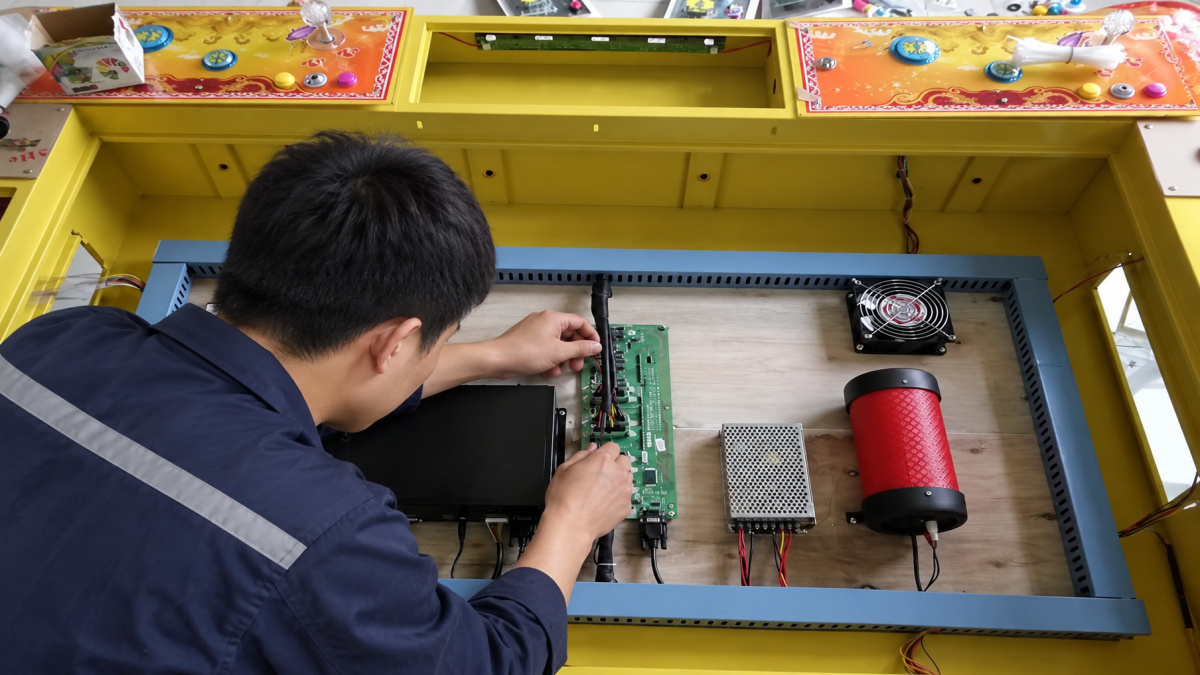
A fishing game machine works as one connected system. The software controls the game logic and settings, the main PCB runs the program, the I/O board connects player controls and payment signals, and the screen, wiring and power system make everything work inside the cabinet.
This is why two fish game machines can look almost identical from the outside but use different software or PCB configurations inside. For operators, distributors and repair buyers, understanding this system is important before replacing software, ordering a PCB kit or upgrading an existing fish table.
What Does the Fish Game Software Control?
Fish game software controls much more than the graphics on the screen. Depending on the system, it can manage player configuration, language, difficulty settings, game logic, sound, credit settings and how the game communicates with other machine components.
That means a software file should not be judged only by whether it starts. It needs to work correctly with the PCB, I/O board, display, player controls and payment system used in the actual cabinet.
This system-level approach is also consistent with ISO/IEC 25010:2023, which treats software, firmware, hardware and other elements as components of an ICT product when evaluating product quality.
What Do the PCB and I/O Board Do?
The main PCB runs the game program and handles major functions such as game logic and display output. The I/O board connects that system to the physical machine.
Buttons, joysticks, player positions, coin signals, card-reader inputs and other cabinet functions may depend on the I/O configuration.
This explains a common repair situation: the game appears normally on the screen, but one player position or the payment system does not respond. In that case, replacing the software alone may not solve the problem.
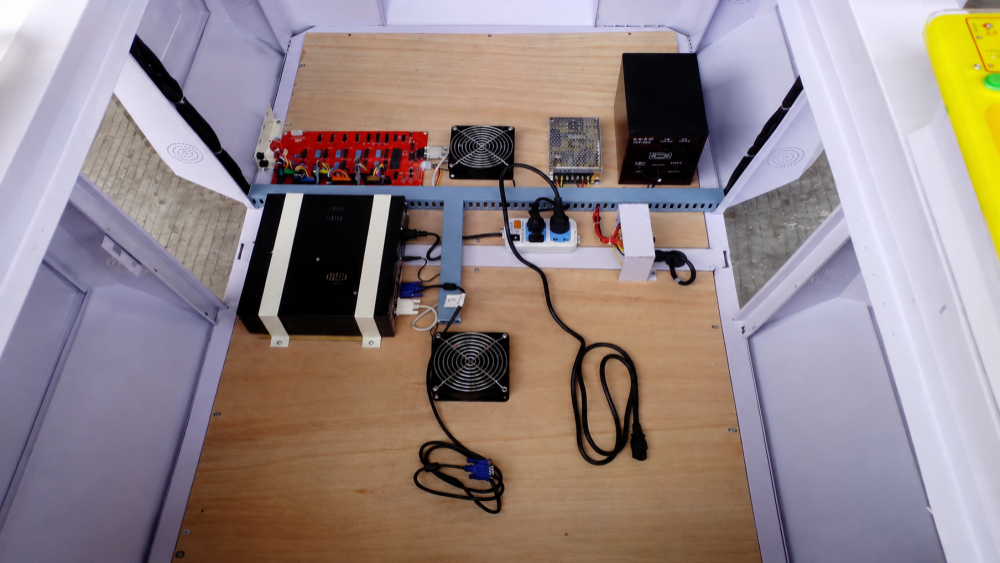
How Do the Main Parts Work Together?
| Part | Main Job | Typical Problem |
|---|---|---|
| Software | Game logic and settings | Wrong player, language or credit settings |
| Main PCB | Runs the program | No boot, freezing or abnormal display |
| I/O Board | Connects controls and signals | Dead controls or payment input |
| Display | Shows the game output | Blank, flickering or abnormal image |
| Payment | Sends credit signals | Credits not recognized correctly |
Why Does Player Count Matter?
A 4-player, 6-player, 8-player or 10-player fish game is not simply the same program installed in a larger cabinet. The software, I/O configuration, controls and player assignments need to support the actual number of positions.
For example, the Tiger Legend Fish Game PCB Kit supports 2–10 player configurations. The correct configuration still needs to be prepared for the cabinet where the system will be installed.
If the player configuration does not match, one station may fail to respond, controls may be assigned incorrectly or credits may appear on the wrong player position.
How Does the Payment System Add Credits?
A coin acceptor, bill acceptor or card reader does not work independently from the game software. Its signal needs to pass through the wiring and I/O system and then be interpreted correctly by the game.
A complete machine such as the 6 Player Fish Hunter Arcade Cabinet therefore needs the player configuration, controls, software and payment setup to work together.
If a venue changes from coins to a card system later, the new payment device may physically fit while the signal or credit setting still needs adjustment. Payment compatibility should be confirmed with the PCB, I/O and software configuration together.
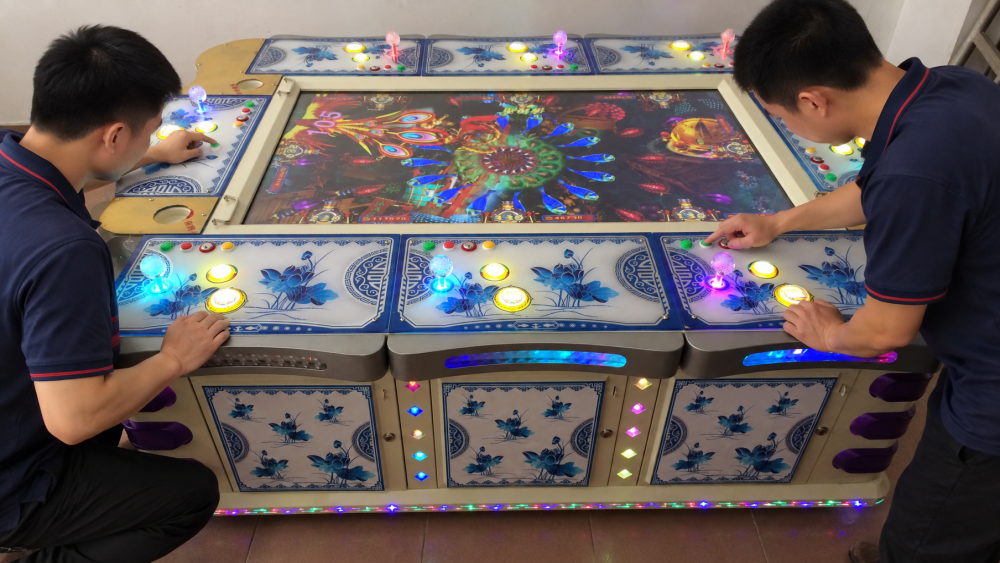
Why Can the Machine Turn On but Still Not Work?
Powering on only confirms that part of the system has power. It does not prove that every component is communicating correctly.
Common problems include sound with no display, freezing or restarting, one player position not responding, buttons or joysticks not working, payment devices not being recognized, or abnormal screen output.
These symptoms do not automatically mean the software or PCB is defective. The cause may also be the I/O board, power supply, wiring, display connection or an incorrect configuration.
What Should Buyers Confirm Before Ordering?
Before ordering fish game software or a PCB system, send the supplier enough information to identify the real machine configuration.
- Full cabinet and control-panel photos.
- Main PCB and I/O board photos.
- Number of player positions.
- Screen connector and display information.
- Payment device and wiring photos.
- A short power-on or fault video.
For overseas replacement orders, confirming these details before shipment is much easier than diagnosing a compatibility problem after the board or software arrives.
Industry Insight: The Software File Is Only Part of the Product
For commercial buyers, the real product is not simply a software file. It is the tested combination of software, PCB, I/O board, player configuration, display, payment signals and wiring.
This is especially important for distributors. If the approved software version, PCB model and machine configuration can be supplied again later, repairs and repeat orders become much easier.
A visually impressive game has limited value if the supplier cannot reproduce the same working configuration when another machine needs software or PCB support.
Final Thoughts
A fishing game machine works because its software and hardware operate as one system. The software controls the game, the PCB runs it, the I/O board connects the cabinet, and the display, controls and payment system complete the operation.
Fusen supports fish game software customization, PCB kits, multi-player configuration, language and difficulty settings, payment-system matching, pre-shipment testing and long-term technical support. For buyers, confirming the complete machine configuration before ordering is the simplest way to reduce software and PCB compatibility problems.
Need Factory Direct Fish Game Solutions?
Contact FUSEN for fish game machines, PCB kits, cabinets, OEM/ODM customization, and long-term technical support.
Get Factory Quote