
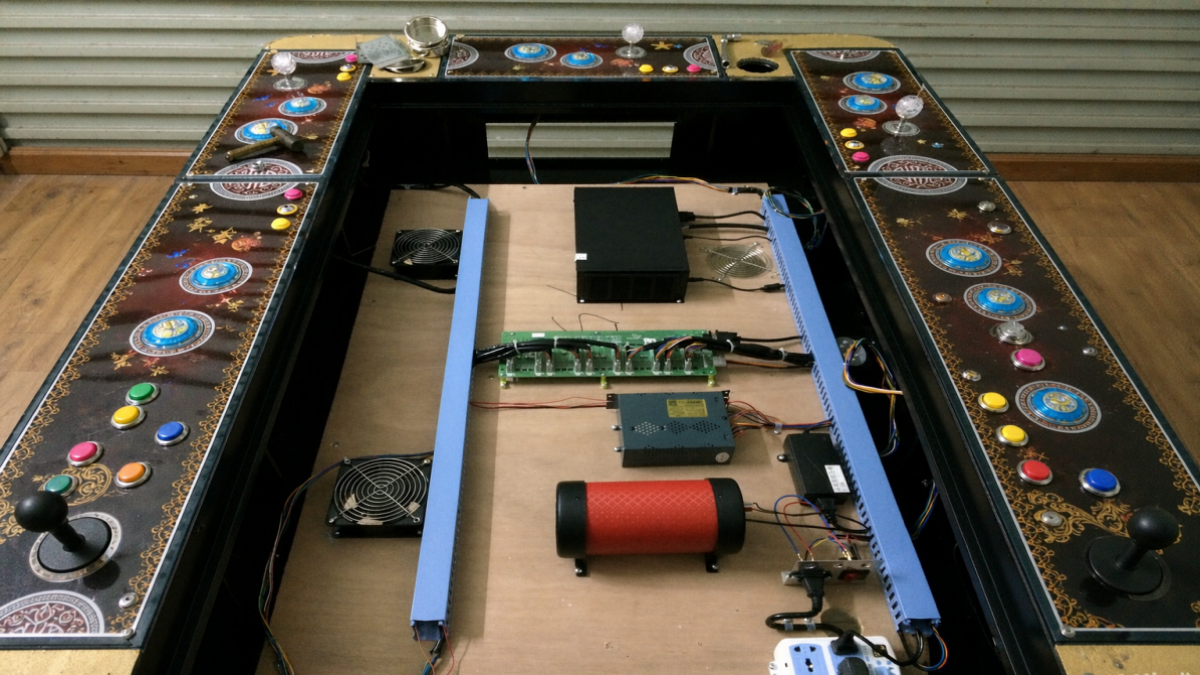
Fish game software can work on one machine and fail on another because the PCB, I/O board or cabinet configuration is different. Two fish tables may look identical outside and use different hardware inside.
The game loads, but one player cannot shoot. There is sound, but the screen stays blank. The payment device accepts money, but no credits appear. These faults can look like software problems, yet the cause may be a connection, an unsupported display mode or an input setting.
Before paying for another program or replacement board, compare the working setup with the machine that failed. Start with the hardware labels and connections, not just the game name.
The Same Game Does Not Mean the Same Hardware
A screenshot helps a supplier identify the game you want. It does not identify the PCB revision, the I/O board handling the controls or the software release supported by that hardware. Boards with similar layouts should not be treated as interchangeable without confirmation.
Player count needs checking too. A program configured for six positions may need different settings or hardware support for an eight-player cabinet. Ask which positions are supported and how the controls and credit inputs are assigned.
For example, the Planet Hegemony Fish Game PCB Kit lists support for 4–8 players. Confirm the configuration supplied for your order rather than assuming the kit will arrive ready for every cabinet in that range.
Six Compatibility Checks Before Buying a Replacement
Use these checks to narrow the investigation. Symptoms are clues, not proof: a blank screen, for example, does not automatically mean you need new software.
| Check | What to Confirm |
|---|---|
| PCB and software | Exact board model, hardware revision and supported software release. Check these first if the game will not start after a swap. |
| I/O board | Board model, communication interface and input mapping. A running game with unresponsive controls may have an I/O mismatch. |
| Player count | Supported and enabled positions, control assignments and station wiring. Check these when a position is missing or operates the wrong player. |
| Display | Video connection, selected monitor input, resolution and refresh rate. Screen size alone does not establish compatibility. |
| Payment | Device output, interface requirements, credit settings and player assignment. Accepting a payment does not prove the game received the correct signal. |
| Wiring and power | Documented pinout, power-supply requirements and previous modifications. Older cabinets may no longer match their original wiring diagrams. |
A connector that fits is not proof that the wiring matches. Disconnect power before changing connections, and have a qualified technician check unfamiliar wiring against the equipment documentation.
If the Game Loads, Check What Still Does Not Work
If five positions work but the sixth does not, start with that station’s controls, wiring and player settings. Record which inputs fail and whether the fault is constant. That gives the technician more to work with than “the software does not work.”
For display faults, record the monitor model and any message on screen. Two monitors of the same size can support different input modes. For credit faults, identify the payment device and whether credits are missing, incorrect or assigned to another position.
Also explain what changed immediately before the fault appeared: a PCB replacement, software update, new card reader or wiring repair. That detail can help separate a compatibility issue from a failed component.
Software Only or a Complete PCB Kit?
A software-only update can avoid unnecessary hardware costs when the supplier confirms support for your existing board revision and cabinet setup. Before proceeding, get the approved installation instructions and ask how the original setup can be restored if the update fails.
A PCB kit is worth considering when the existing board is unsupported or its history is unclear. Buying compatible components together can reduce uncertainty, but the kit still needs to match your monitor, controls, payment equipment and wiring.
Read the packing list before comparing prices. The Dragon & Phoenix Fish Table PCB Kit lists a main PCB, keypad, power supply and connection parts. Ask whether your installation also needs an I/O board, adapters or replacement harnesses. A lower quote may cover fewer parts.
Send the Machine Details, Then Ask for a Matching Test
Before ordering, send the supplier:
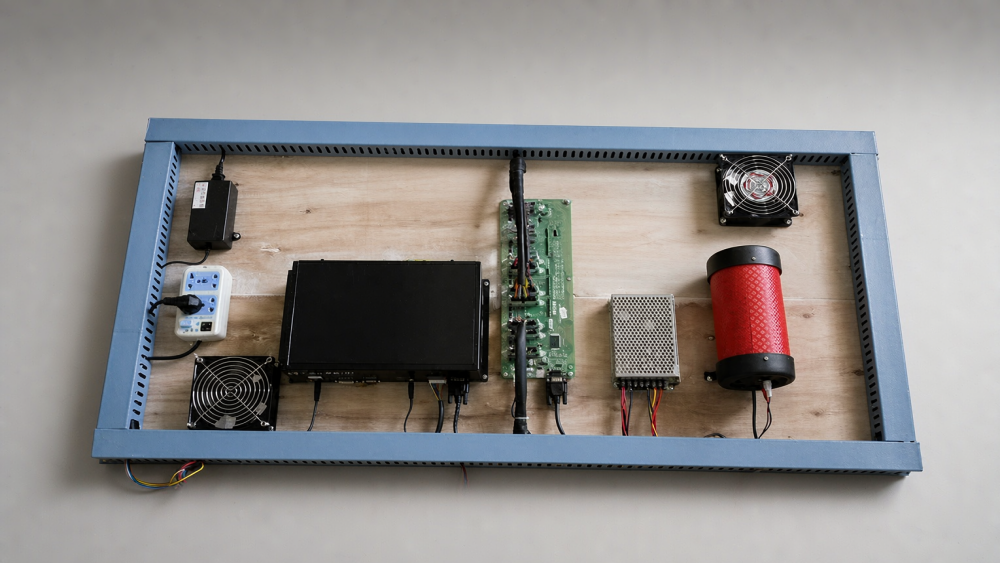
- Full cabinet and control-panel photos showing every player position.
- Readable PCB and I/O board labels, plus connector close-ups.
- Monitor and payment-device models, with their connections.
- The current software version and details of previous modifications.
- A short startup video showing exactly when the fault occurs.
Request a pre-shipment test covering startup, display, every player position, controls and credit inputs. A video of the game running on a different setup does not confirm that your cabinet will work.
If the supplier cannot reproduce your monitor or payment configuration, ask what remains untested and what you will need to verify during installation. Get that answer before shipment.
Industry Insight: Keep a Configuration Record for Every Machine
For distributors and operators, the next repair is easier when the original configuration is recorded. Save the software version, PCB and I/O models, player settings and wiring photos under the machine’s serial number. Update the record when parts change.
Months later, “send the same board again” then refers to an identifiable version, not just a game title or cabinet photo.
Before buying fish game software, ask: “Which parts of my existing setup will this work with, and what needs to change?” A clear answer helps you price the whole replacement job—and reduces the chance of buying another component that leaves the original fault unresolved.
Need Factory Direct Fish Game Solutions?
Contact FUSEN for fish game machines, PCB kits, cabinets, OEM/ODM customization, and long-term technical support.
Get Factory Quote